

The 3 Control Modes: Choosing Your AI Coding Strategy
A practical framework to define your AI strategy across every development phase, from requirements to deployment. Includes a template you can adapt to your team.

Intro
In the new AI era, choosing the right level of control and governance in software development becomes even more critical.
Remember when people claimed microservices could be “polyglot” (each service written in a different programming language, as long as they followed a common contract)? As rebel and freedom-pursuing as it sounds, this commonly turns into chaos.
The same risk applies to AI-assisted development. Without a clear strategy, you’ll end up with architectural chaos. Just faster.
In this article, you’ll learn:
How to define your AI Development Strategy across the entire development lifecycle (not just coding)
The 3 control modes (Pilot, Copilot, Autopilot) and when to use each
A practical template to document your team’s AI strategy, adaptable to your context
By the end, you’ll have a concrete framework to choose where AI accelerates execution and where humans must stay in control.
Software Architecture Strategy as a Foundation
Most organizations have explicit (documented) or implicit agreements around architectural decision-making: Can a team decide the technology stack for their next component? New API conventions? Moving to reactive programming? Code quality gates?
If you’ve read my article about The Invisible Architect, you know my approach: a central team guards and sets high-level directions for system design, representing the common agreements of the technical community, aligned with business goals.
In this approach, control is distributed (everyone participates) but centralized through commonly-agreed guidelines.
These directions form the Software Architecture Strategy, which accelerates the SDLC in three ways:
Reduced cognitive load: You don’t re-decide the same things for every feature or bug fix.
Fewer repetitive discussions: Collective decisions (e.g., library choices) are made once and followed.
System consistency: Moving between teams or understanding other parts becomes easier.
Why does this matter for AI? Because AI agents need the same kind of governance, just adapted to their unique risks.
Control and Governance for AI Agents
It’s mostly the same principles, with one key difference: AI agents won’t have hard feelings about not using the latest JavaScript library.
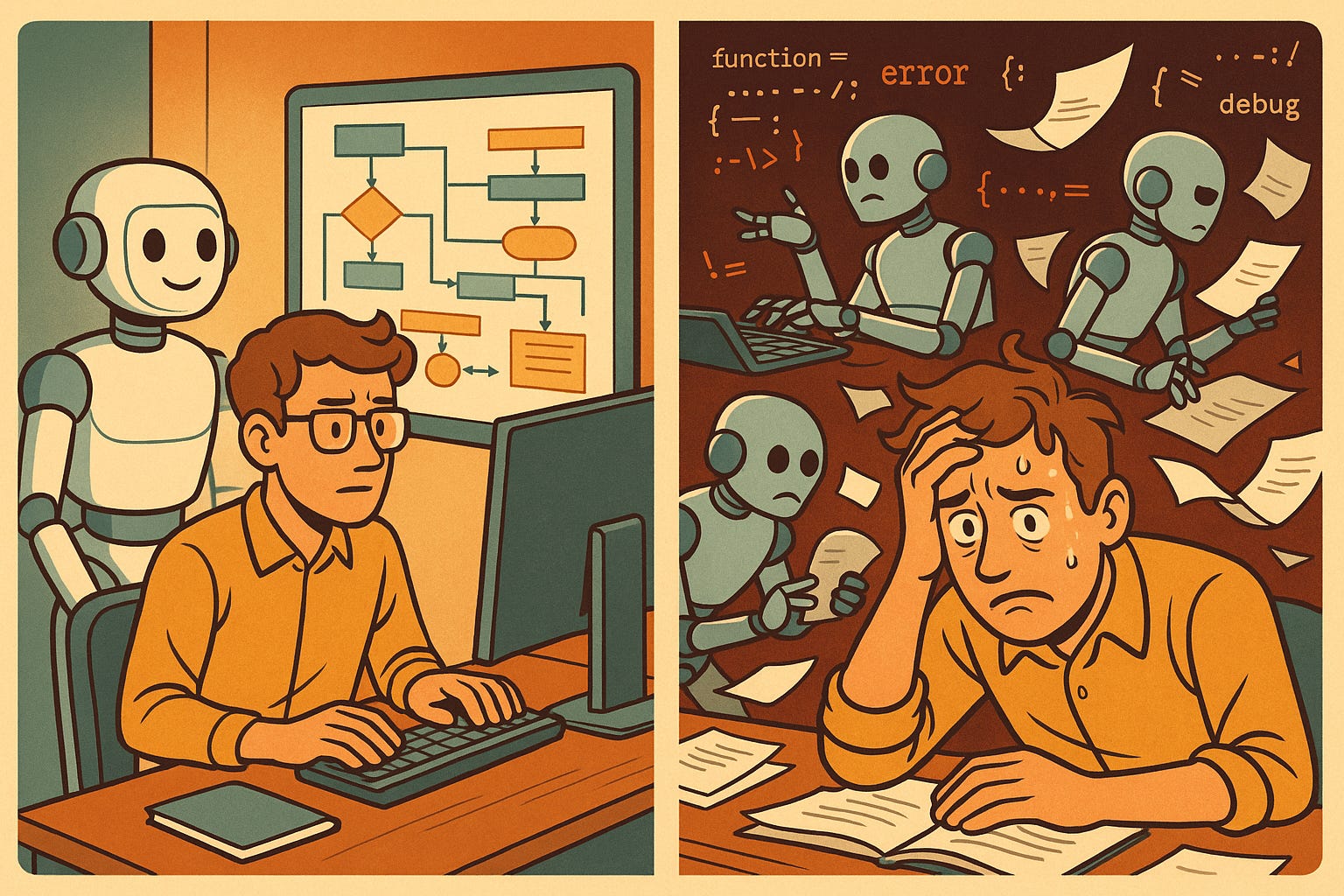
Jokes aside, the problem is actually worse. With human teams, the granularity of decision-making is a team or individual engineer. With AI, it’s the agent’s session. AI agents are trained on countless codebases using different approaches, libraries, and languages. They drift from initial structure. They invent new scope. They overengineer solutions.
The junior dev analogy (with a critical limit). Treat AI agents like junior developers: great at producing code, bad at maintaining consistency and structure. You wouldn’t let a junior dev design your system architecture or pick the tech stack. Same with AI.
The key difference? Junior devs can reason. AI agents can’t. A junior can say “this seems wrong” or “we’re duplicating logic.” AI executes patterns without questioning coherence. That’s why you must provide the reasoning and structure upfront. AI provides the execution speed.
This fundamental limitation is why you must shift control toward humans. The collaboration is more dictatorial than peer-to-peer: you dictate the architecture, specs, and constraints. AI executes fast.
But control isn’t binary. It’s a spectrum. The key is knowing where to apply tight control and where to leverage AI’s execution speed. Not “should I use AI?” but “where do I need control, and where can I delegate safely?”
Low-risk delegation: You might pass specs to an AI agent to code entire classes, API layers, or data access layers. You don’t care if it used ten if clauses, a forEach, or a plain for loop. The risk is low, and you can still understand the output quickly.
High-risk delegation: Tools like Lovable.dev build entire applications (and deploy them) from simple prompts. Perfect for prototypes, but not suitable for long-term feature evolution or production SaaS.
Every decision you’re not in control of is risk you’re deferring. You’re piling up tech debt in the form of unnecessary code, duplications, and inconsistent structure. The key is to choose consciously where you operate on the control spectrum, not to drift randomly between modes.
The Three Control Modes
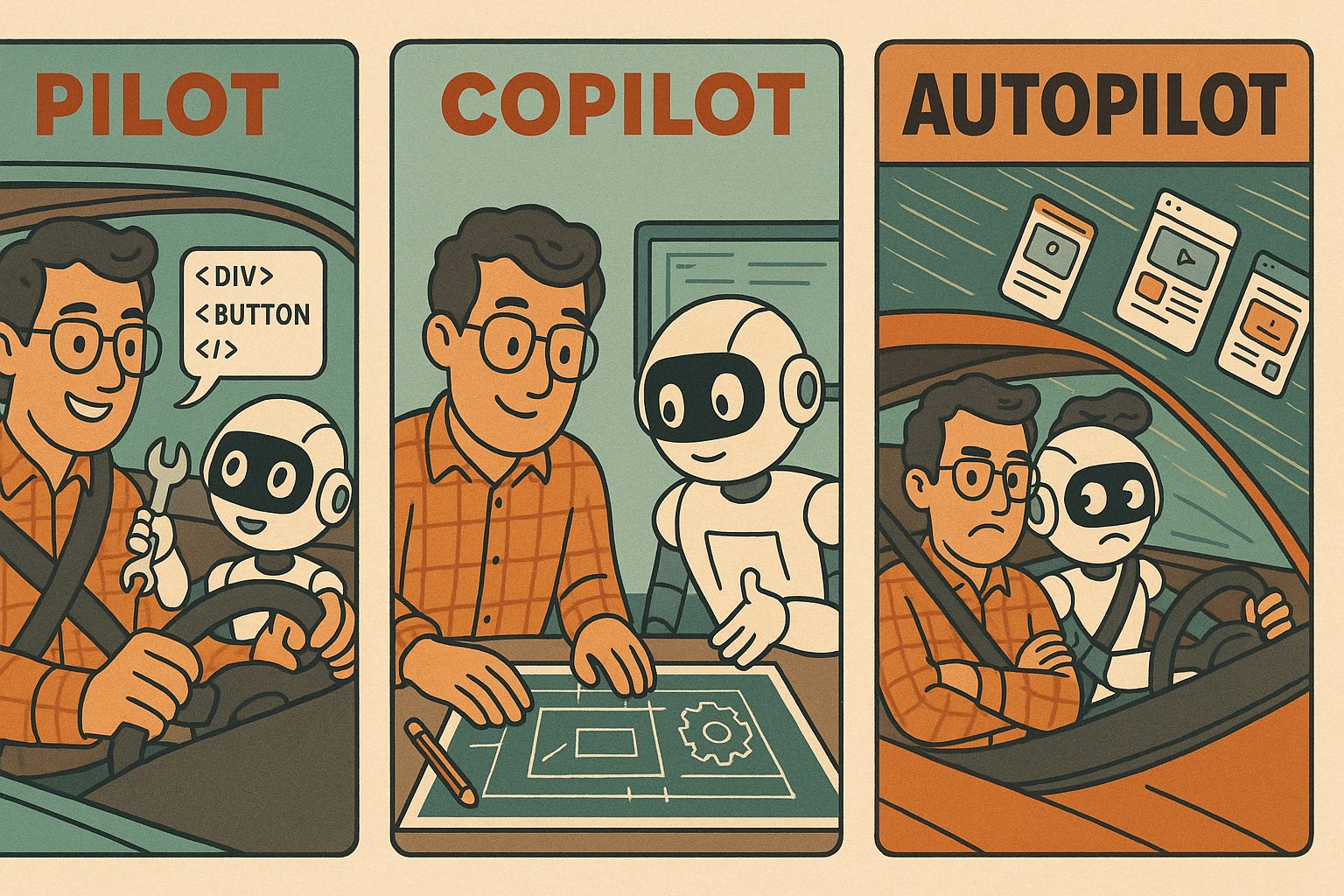
When working with AI agents, you operate in one of three modes (from most to least control). These modes apply to any phase of development (from requirements gathering to deployment), not just coding.
1. Pilot (Full Control)
You drive everything. The AI agent follows your commands and makes minimal decisions.
Control: 90-95%
Example tools: GitHub Copilot (coding), Grammarly AI (specs writing), AI autocomplete anywhere
Best for: Critical decisions in any phase: security-sensitive code, architecture documentation, compliance-heavy specs, production deployment scripts
Productivity gain: ~1.5-2x
When to use: When you need to understand and approve every detail, regardless of the development phase
2. Copilot (Collaborative Control)
You still drive, but AI co-creates deliverables based on your specs and guidelines. You provide structure and constraints, AI fills in the details.
Control: 70-85%
Example tools: Claude Code (requirements, coding, testing), Cursor (coding), Figma AI (design), specialized agents per phase
Best for: Production systems across all phases: requirements analysis, design iterations, implementation, test generation, infrastructure as code
Productivity gain: ~4x (after initial setup)
Note: This is the “sweet spot” for most production work. Requires upfront structure (specs, architecture, constraints) but accelerates execution across the entire development lifecycle.
How to implement this? Mastering Copilot mode requires 3 fundamentals: Task-Driven development, Specs-Driven workflows, and Specialized Agents. (I’ll cover these in depth in the November 6 webinar with frameworks and actionable templates.)
3. Autopilot (Minimal Control)
You pass high-level prompts and let AI make most decisions across multiple phases, from requirements to deployment. Minimal structure, maximum speed, high risk.
Control: 10-30%
Example tools: Lovable (full-stack apps), Bolt (end-to-end), ChatGPT (unstructured exploration), AI tools without guardrails
Best for: Throwaway prototypes, MVPs for quick validation, demos, learning/exploring new domains
Productivity gain: ~10x (initial build), 0.5x (long-term maintenance)
Caveat: Black-box output, difficult to debug, and accumulates tech debt quickly. Not suitable for production systems you’ll maintain.
When to use: When you can afford to throw away the output after learning, or when time-to-validation is the only metric that matters.
💡 Want to master Copilot mode (Structured AI)?
In my webinar on November 6, I’ll teach you the 3 fundamentals that make Copilot mode work (Task-Driven, Specs-Driven, Specialized Agents) + 10 essential tips for achieving 4x productivity.
Early Bird: €39 (until Oct 27)
Defining Your AI Development Strategy
Like Software Architecture Strategy, an AI Development Strategy is critical for long-term success. And just like Software Architecture, one key success factor is choosing explicitly the level of control you want per:
Development phase (requirements, design, coding, testing, deployment, etc.)
Business context (prototype vs. production-ready)
Who is this for?
Not just engineers, everyone in the organization.
Example: Imagine a product manager using ChatGPT to write user stories based on website analytics, optimizing purely for traffic. The amount of garbage you can get when you hand all control to the agent is insane. However, you get great results when you use AI to visualize and analyze metrics together with you, extract conclusions, and explore opportunities, while you decide which aligns with business strategy and organizational context.
How to define it
The best way to create an AI Development Strategy:
Explore the possibilities in your organization
Learn to use the tools (hands-on)
Discuss a setup that works for everybody
Document decisions explicitly
Respect the strategy (even if you disagree) for consistency
There will be disagreement. That’s normal. But the strategy must be respected for the sake of consistency and the organization’s best interest.
The Governance Stigma
Governance gets a bad rap. Let’s address the common concerns:
“It slows us down.” Yes, initially. You’re trading short-term speed for long-term consistency. But in the long run, governance gives you alignment with business strategy, system consistency, better maintenance, and faster onboarding for new team members.
“It’s boring.” Sometimes. Governance involves documentation, rules, and guidelines. Not much space for creativity around ways of working. But your creativity is better invested in building the next system functionality or designing the best technical solution for your problem at hand.
“It means bureaucracy.” Only if you let it. You can have simple, straightforward guidelines for AI usage that are easy to maintain and understand.
The scope adapts to your context. A startup might have a one-page document: “Use Copilot for implementation, no AI for architecture decisions, Lovable only for throwaway prototypes.” Done. A corporate environment might need approval processes and detailed policies, and that’s where a documented strategy becomes a prerequisite for AI adoption. Both extremes benefit: startups move fast with clarity, and enterprises get compliance and consistency.
Review regularly. You won’t nail it the first time. AI tools evolve rapidly, so you need a recurring mechanism to learn and adapt.
Putting It Into Practice: AI Development Strategy Template
Below is a concrete example of an AI Development Strategy across the development lifecycle. For each phase, I list:
Who is involved
Tools and AI usage, categorized by control mode (Pilot, Copilot, Autopilot)
This is not a prescription: it’s a starting point. Adapt it to your organization’s context, team skills, and risk tolerance. And include your preferred tooling.
1. Discovery & Planning
Who
Product Managers and Executives. Helped by Software Architects and Staff Engineers.
Tools and AI usage
Pilot:
Atlassian Intelligence (Rovo): to help with work breakdown in JIRA when even roadmap-level items are too big.
Copilot:
ChatGPT: to identify potential gaps and analyze hidden risks that we might be missing, after we’ve used our own knowledge.
Autopilot:
Claude Code: to create quick prototypes that help the group align on requirements and scope.
2. Requirements & Analysis
Who
Product Managers, Software Architects, Staff Engineers, and Team representatives.
Tools and AI Usage
Pilot:
Grammarly AI: to write clear, concise, grammatically correct specifications.
Miro AI: to summarize brainstorming sessions.
Copilot:
Claude Code + Specialized Agent (Product Manager): create user journeys with flows and actions, and discover potentially hidden non-functional requirements.
3. Design
Who
Software Architects, UX/UI Designers, and Engineers.
Tools and AI Usage
Copilot:
Figma AI: to accelerate UX/UI design.
Claude Code + Specialized Agent (SW Architect) + MCPs (Figma, JIRA): to create mapping from functionality to components, UML diagrams, data models, sequence flows.
Autopilot:
Figma AI, Claude Code: to create prototypes that help validate requirements with customers.
4. Implementation
Who
Engineers, Software Architects.
Tools and AI Usage
Pilot:
GitHub Copilot: to autocomplete when coding.
Copilot:
Claude Code + Specs-Driven + Specialized Agents (Python and Typescript): to create code based on specs reviewed and validated by PMs and Engineers.
Autopilot:
Claude Code + Specialized Agents (Prototyping): to create code that is disposable soon, like prototypes or MVPs for innovation projects.
Qodo (formerly Codium): to review PRs in addition to the peer reviewer.
5. Testing & Quality
Who
Engineers, QA Engineers, Test Automation Specialists.
Tools and AI Usage
Pilot:
GitHub Copilot: to generate tests for the selected code.
Copilot:
Claude Code + Specialized Agent (Tester): to design a test plan and write the test specifications.
Autopilot:
Claude Code + Test Specs + Specialized Agent (Tester): to generate the code for tests, based on the specs created beforehand.
6. Deployment & Release
Who
DevOps Engineers, Platform Engineers, SREs.
Tools and AI Usage
Copilot:
Claude Code + Specialized Agent (GitOps): to add new code blocks to our GitOps repository when new services or changes are needed.
Claude Code + AWS Cloud Control API (CCAPI) MCP Server: to review the current infra configuration, analyze costs, perform quick actions not controlled as IaC.
Autopilot:
AWS CloudWatch Investigations: to gain insights into potential deployment errors and root causes.
7. Operations & Monitoring
Who
SREs, DevOps Engineers, and On-call Engineers.
Tools and AI Usage
Copilot:
Claude Code + Specialized Agent (AIOps) + Datadog MCP: Analyze error root causes by reading logs.
Autopilot:
AWS CloudWatch Investigations: to gain insights on potential incidents and root causes.
Pagerduty AIOps (with flow specs): to avoid alerting noise and automate resolution.
Next Steps
You now have a framework to define your AI Development Strategy:
Map your development phases (use the template as a starting point)
Choose your control mode for each phase (Pilot, Copilot, Autopilot)
Document your decisions (make them explicit)
Review quarterly (AI tools evolve fast)
Ready to implement this? Join my webinar “Mastering AI-Assisted Development: From Hype to 4x Productivity” on November 6, 2025, where I’ll teach you:
The 3 Fundamentals of Copilot mode: Task-Driven, Specs-Driven, Specialized Agents (not covered in this article)
10 Essential Tips for sustained 4x productivity (battle-tested on real products)
AI Strategy Frameworks: Principles and structured approaches you can apply immediately
What You’ll Receive:
✅ Live 2-hour interactive webinar with Q&A
✅ Downloadable resources: Slides PDF, prompt templates (Markdown), AI strategy checklist, tool selection guide
✅ Full recording + slides (lifetime access)
Early Bird: €39 (save €20 – ends Oct 27) | Standard: €59
📅 Thursday, November 6, 2025 | 19:00-21:00 CET
Limited to 50 participants. Only 30 Early Bird tickets available.
P.S. If you found this useful, share it with your team. The hardest part of AI adoption isn’t the tools: it’s getting everyone aligned on the strategy.
P.P.S. Can’t make the live webinar on Nov 6? No problem. All attendees receive the whole recording, slides, and downloadable resources (prompt templates, checklists, tool guide) with lifetime access.